
Zoom Meet Instructions
Zoom is an easy-to-use cloud-based chatting tool and it is compatible with Windows, Mac, iOS, Linux, and Android. Its great features including desktop and mobile support, multi-sharing, free video replays, auto-recording meetings, and so much more are the reasons for its popularity.
Let’s dive into how you can take advantage of the flexibility and convenience it brings. Get StartedUse Zoom On Your Desktop
Sign up for Zoom by visiting their website or downloading their app. Enter your preferred email address, allow important resources such as how-to-guides to be sent to your email account, enter your credentials, activate your Zoom account by clicking on the confirmation email sent to your inbox. Remember to use strong passwords to secure your meetings and keep scammers out.
Download and install the app on your desktop. Launch the app, enter the required information such as your email address and password. When logged in, head over to the top-right corner and manage your profile. Go to ‘Settings’ to change defaults and activate your preferences. Such as automatically copying the URL once the meeting starts, stopping your video or audio when the display is off, etc. Create Meetings
You can create a test meeting before inviting participants if you like to get comfortable with how the platform works. Go to ‘Start Meeting’ and use speakers to join audio. Go full screen and test the speaker or microphone.
Schedule meetings and choose how you want to manage them by heading over to the ‘Meetings’ tab. Select ‘Schedule a new meeting’, enter the name, description, as well as time and date. Invite people by selecting the ‘invite’ button, copying the URL, and sharing it. Send the link via email or text. The invitees only need the link as well as the time and date or password where applicable to join. They simply launch the app, enter their Zoom ID, and click on ‘Join’. Set up daily or weekly meetings by using the ‘Recurring’ option under the ‘Meetings tab’. This helps you to lock in settings and ensure you don’t constantly send out invites to participants. Use Zoom On The Web
After the sign-up process, install important recommended add-ons before proceeding. Schedule or start a meeting by signing in to the web portal. Click ‘Host a meeting’ to set one up and then ‘Join from your browser.’ Add participants by going to ‘Participants’ and ‘Invites’. Invite people by copying and sending your URL via email.
Your attendees will join meetings by following the link or pasting it onto their browser. Keep them engaged by enabling the Q&As section, chat-texting, and screen sharing. It is important to note that you won’t have access to all Zoom features with this option. Use Zoom On Mobile
Download the app from the Play Store or the App Store. Install and launch it. Sign up for an account or log in to your existing account following the prompts.
Start new meetings by clicking on ‘New Meeting’ and then ‘Start new meeting’. Go to ‘Participants’ then ‘Invite’. The mobile version also allows you to adjust your settings, similar to the desktop one. Add participants by copying, pasting, and sending them the URL via email, messaging, or other available options. They will attend meetings or webinars by following the same method outlined under the desktop version. Schedule Meetings
Go to ‘Meet & Chat’, click on ‘Schedule’, fill in the name as well as the time and date. After hitting ‘Done’, enter participant names and set notifications. That’s it, you’re done setting up a meeting.
To respond to an invite, follow the URL link or answer the incoming call. Tap ‘Join’, enter your meeting ID, and participate. Mistakes To Avoid
Knowing the common mistakes that make conferences boring, unproductive, and tiring will help you to avoid them.
So, here’s what you need to avoid:
Zoom Meeting Etiquette
Get the most out of your Zoom experience by knowing the best tricks to use the platform and implement them at your next meeting.
Position Your Webcam Right
Look professional or decent by positioning your webcam right. Don’t look down at the camera. Keep it at the eye or face level and look directly at the webcam.
Zoom Audio and Video Quality
Check if everything is working as expected before starting. Ensure you conduct your webinars in a quiet environment. Get rid of background noises by investing in the right tools that will give your presentations and presence that professional touch. Mute and unmute participants to get rid of unwanted noise by going to ‘Manage participants’ and ‘Mute’ or ‘Mute all’. Don’t forget to mute your microphone and unmute only when speaking.
Zoom Interview Background
Your background says a lot about you. So, use one that presents you or your business well. Zoom allows you to change or customize your background. Go to ‘Settings’ and then ‘Virtual Background’. From there, upload your preferred image or video or use default ones. If you want to maintain it as it is, make sure everything behind you is clean and tidy. Or simply set your desk in front of a plain wall and have it as your background.
Create Breakout Rooms
This helps you to effectively manage and host productive meetings. Sharing information, commenting, bouncing ideas off each other, and solving problems becomes easier because you will be running manageable groups. You can also provide one-on-one support to participants if you are an instructor. Create breakout rooms by going to ‘Account Management’ and then to ‘Account Settings’. Go to the ‘Meeting’, choose ‘Breakout room’ and enable it.
Keep Your Meetings Secure
Protect against Zoombomb and scammers. They can disrupt your meetings and post malicious content if you are not careful. So, use the best security standards to keep that from happening. For example, don’t publicly share your meeting links, use waiting rooms or the ‘lock’ feature to gain complete control over who participates, remove disruptive attendees by using the ‘Remove’ option, and so forth.
Zoom Best Practices
Be sure to review Zoom's Best Practices. Go to their website. Navigate to ‘Resources’ and ‘Privacy and Security’. Here you will get in-depth information on how to protect and conduct as well as manage secure meetings.
Zoom Keyboard Shortcuts
Effortlessly navigate through the platform by mastering the essential keyboard shortcuts. Whether you are on a Mac or using Windows.
The list is endless. Access the hotkeys by going to ‘Settings’ and then ‘Keyboard Shortcuts.’
Zoom Troubleshooting
Zoom Connection Issues
Zoom's platform lets you set up and conduct job interviews and productive virtual meetings. Its user-friendly interface lets you set up and manage everything easily without any tech skills. Once you open an account, you can invite people to your meetings and have them join by simply clicking on the shared link. No IT required.
Whether it’s a job interview, business meeting, or a family meeting, connection issues may occur. Some of the most common issues you may run into are: Failing to see or hear other participants, seeing blurry images, lagging videos, crashing meetings, background noises, and getting your meetings hijacked, just to name a few. Learning Zoom meeting etiquette is also important. All this can be frustrating when you are trying to join a meeting. Nonetheless, running into technical issues is quite common when using video conferencing software. So, you are bound to run into problems on Zoom as well. But luckily, you can fix most of the issues on your own. There are easy practical solutions you can apply to solve Zoom meet problems. Prioritize Safe and Secure Meetings
Ensure security by using the best standards such as having participants enter a password before joining meetings or locking your meetings to ensure no one joins in without your approval and so on.
Issues With Your Video/Camera
If your webcam isn’t working, go to ‘Settings’ then ‘Video’, and choose the device you want to use. If this doesn’t solve your issue, close all programs that are using the camera so Zoom can access it. Ensure the application has permission to access the camera. Close the app and relaunch it. Make sure the ‘Turn off my video’ box is unchecked and log in. That should fix your problem.
If you get blurry images after fixing the camera issue, clean the lens, refocus your camera, or use an auto-refocusing webcam. Issues With Your Audio
If you can’t hear other participants, check your speakers and ensure they are turned on. Leave the ‘Do not connect to audio’ box unchecked when signing in. If other participants can’t hear you, check to see if your microphone is muted and unmute it. Go to ‘Settings’ then ‘Audio’ and select your device. That will solve your issue.
Background Noise or Echoing Audio
Fix background noises by having all participants except the current speaker mute their mics during meetings. Another option is to go to ‘Participants’ then ‘Mute all’ or ‘Mute Participants on Entry’. However, only the host can do this. Use the same methods to fix echoing audio issues.
Lagging Videos or Audio
This is often caused by slow internet connections. Check your connection speed. Close all programs that may be using the same connection and pause ongoing downloads, if any. Next, go to ‘Settings’ then ‘Video’ and ensure ‘Enable HD’ and ‘Touch up my appearance’ are both unchecked. If that doesn’t work, find a faster less congested connection and use it instead.
Zoom-Bombing
Intruders can hijack your meetings and post inappropriate content. Protect yourself by keeping your app updated as well as adhering to the best security standards. Such as, using a random or generated meeting ID when creating conferences, locking your meetings, using strong passwords, and using waiting rooms to gain control over who joins.
Zoom Keyboard Shortcuts
Remember to learn the Zoom Keyboard Shortcuts. They facilitate navigating through Zoom settings without using the mouse.

When to follow up after a job interview - Posted by https://www.market-connections.net
When To Follow Up After Interview You have been interviewed and it went well. You are interested in the job too, but you are not sure how to follow up, what to say, or even when to follow up. Be prepared to leave a voicemail message if you don’t reach the person directly. Be sure to leave a phone number, but know that you may not get a callback. If you leave a voicemail, follow up 2-3 days later with an email. Follow Up Call After InterviewUse this script to follow up after an interview if you haven’t heard anything back. PREPARATION:
MAKE THE CALL: Be prepared to leave a voicemail message if you don’t reach the person directly. Be sure to leave a phone number, but know that you may not get a callback. If you leave a voicemail, follow up 2-3 days later with an email. If you do reach the person directly, use the scenario below: Hi. This is (your name) and I interviewed with you for the position of (job title) on (date). I wanted to reiterate that I’m very interested in the job, and I wondered: Are you close to making a decision yet? [If no: I wanted to be sure you had all the information you needed from me. Is there anything else I can provide you with to help you make your decision?] [If yes: That’s great. Am I still being considered? Do you have a timetable for when you expect to make the decision? What is the next step? [If the answer is “I don’t know” or you are given a future date, ask if you can follow-up.] When would be an appropriate time for me to check back with you? I’m excited about this opportunity, but I know these things take time. [Hiring manager may give a specific time or may be noncommittal.] Thanks again for the opportunity to be considered for this job. HOW IT MIGHT SOUND: You: Hi. This is Jim Jones, and I interviewed with you for the position of Business Analyst on the 28th. I wanted to let you know I’m still very interested in this job, and I wondered if you are close to making a decision yet. Hiring Manager: I’m sorry, I’ve been swamped and haven’t had time to schedule the next round of interviews. You: No problem. Am I still being considered for the job? And if so, is there anything else I can provide you with to help you make your decision? Hiring Manager: No, I think I have everything I need. You: Great. When would be an appropriate time for me to check back in with you? I’m excited about this opportunity, but I know these things take time. Hiring Manager: Maybe in a week or two? You: Thank you, I’ll check back in on the 17th then. Thanks again for the opportunity to be considered for this job. Aside from all the details, it is important to know WHEN to follow up after interview. Follow up in the right time frame and outshine your competition this way.

The Art of Negotiation - Creative Commons photo
The Art of NegotiationNegotiation DefinitionTo be clear, a negotiator is the one responsible for making negotiations, and a negotiation is a deal between two or more in a party designed to reach a useful outcome over certain issues. Negotiation SkillsBecoming a better negotiator is a beneficial skill to learn that takes consistent practice. Whether you have to learn how to negotiate salary or are after learning how to get the raise you deserve, negotiating properly can help you earn as much as 25% more than if you negotiate poorly. Negotiating can be tricky, but it can increase your opportunities and improve your life in many ways. It’s a skill you can develop. If you want to be a cut above the rest of the negotiators, follow the five steps below: Negotiation TipsStep One: Always bid first and higher – If you are selling something, don't assume the buyer will pay higher than what your goal is. It is likely that if you allow the buyer to provide a price first, they will always low ball, and it will make it harder to negotiate a better value. When bidding first, it is also essential to give a number that is higher than your end goal.
Step Two: Listen before action – Listen before you reply. Let the other party finish any of their thoughts first. Silence may be awkward, but this can be used to your advantage. Most likely, the other party will fill the silence with valuable information to lead you to a better result. Not every response needs a reply, either. If someone claims the price is too high, let the silence make them think about their reasons why. Step Three: Avoid negative emotions – It is only natural to feel tension when negotiating but don’t allow the other party to feel this tension. It will only lead to a roadblock that prevents success. Try to think of it as a challenge and something that is fun rather than something confrontational. Step Four: Make it a win/win situation – Becoming a superior negotiator does not mean one party must lose. In fact, it means the opposite. For example, often, the car salesperson will say something like, “Let’s find something that works for both of us.” Then they will likely tack on extras such as car maintenance but not lower the monthly price. Now the price seems more worth it to the buyer while the seller still gets what they want out of the deal; that is a win/win situation. Step Five: Research and more research – Don't go into any negotiation before knowing what you are talking about. Research as much as you can on the topic that you are dealing with. For example, if you are trying to negotiate your rent (believe it or not this does happen) then it is a good idea to research all the prices in the zip code you plan on living in as well as crime statistics or other factors that can be negative to allow a decrease. Keep practicing these five steps, and you are sure to benefit the next time you must put your negotiating skills to the test. Remember, learn as much as possible so you can exude confidence and always look to help each party, and you will be sure to reap the benefits of becoming a master negotiator. 
How to prepare for online job interviews
How to ace an online video interviewAll About Video Interviews
There are two types of video interviews — live interviews (using Skype, FaceTime, or LiveMessenger) and recorded Question-and-Answer interviews, also called “time-shifted” video interviews.
In a recorded interview, the jobseeker is directed to a website to answer questions on video, using their computer’s webcam. Video interviews provide an apples-to-apples approach to assessing candidates. All applicants are asked the same questions, and the hiring manager can review and rate the responses. These interviews can be easily set up by the company’s HR staff and the recording forwarded to the hiring manager for selection for the next round of interviews.
More common, however, are live video interviews.
In 2012, Robert Half reported in a press release that a survey by OfficeTeam found that 63 percent of HR managers use video technology to conduct job interviews. This was a significant increase from 14 percent who conducted Skype interviews in 2011. Skype usage has increased dramatically in recent years: more than 300 million minutes of video calls are logged every day. An increasing number of those calls are job interviews. In 2018, CNBC reported that job interviews are more commonly conducted by AI robots and included this video to show how AI is changing the way you apply for jobs:
On September 20th, 2018, The Wall Street Journal provided details in an episode of Moving Upstream and included this video to show "how new data science tools are determining who gets hired".

Artificial Intelligence: The Robots Are Now Hiring | Moving Upstream
Virtual Interview Preparation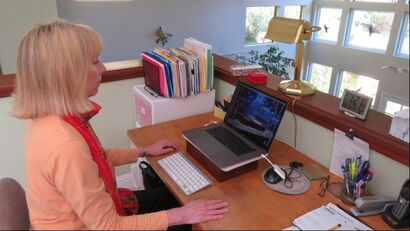 Prepare as if you were sitting across the desk from the interviewer Prepare as if you were sitting across the desk from the interviewer
You can practice a video interview on a computer with a webcam, using the Skype app, or using traditional camera equipment .
Even though online interviews are being conducted by webcam, they are “real” live interviews, and you should be as prepared as if you were sitting across the desk from the interviewer. In fact, you may have to prepare more! After all, you do not have to clean your room before going off to an in-person job interview, but you do need to clear a space for your online interview. In a 2017 article about "How to prepare for a job interview", CNBC reminds us to be carefull about our vocabulary and warns us against our use of "filler words". Each job board also offers its own advice about video interviews.
Also, here is a compilation of various HR professionals and their insights on virtual interviews:
Be mindful of where you set up for your video interview. Be sure the area is free of visual distractions (clutter). Carefully consider what is in the background of your AI interview. Make the background interesting, but not distracting. Plain white walls are fine, but boring. Can you frame a desk or bookshelves behind you instead?
Check out your technology well in advance of the interview. Make sure you have Internet connectivity Make sure your webcam and microphone are working and that your webcam is providing a decent picture. (High definition webcams are available for under $100, if yours is not providing a clear picture.) You may also have to download the software if it is the first time you are using the application. 
How to prepare for an online job interview
 Practice with friends and family Practice with friends and family
One of the best things you can do to prepare for a live video interview is practice. Practice filming a couple of interviews with friends or family members before your job interview. Check the lighting and your volume.
As with a phone interview, recording your practice video interview can help you identify areas to work on, or fix. Have your test partner take a few videos. Be sure to account for any time zone differences before the interview. Video Interview Do's and Don'ts
Review the guidelines for phone interviews, but also keep these “do’s” and “don’ts” in mind.

Video Interview Do's and Don'ts
 Wrong attire for men by Genetleman's Gazette Wrong attire for men by Genetleman's Gazette
DO:
Dress nicely — more than one jobseeker has scheduled a video interview, thinking it would be voice only — and then accidentally found himself or herself on a video call. Dress from head-to-toe. You may think you do not need to wear dress pants with the shirt and tie since the interviewer is only going to see the top half of your outfit. But you should always expect the unexpected. You never know when you might need to stand during an interview. Pajama pants, jeans, or shorts with a dress shirt, tie, and jacket just do not work. Keep your clothing color choice in mind. Check how the colors of your clothing appear on camera. Just like TV news anchors avoid some colors — and most small patterns, pick colors that will show up well on video. Jewel tones or pastel colors work best. Do not wear white or black. Practice your video interview wearing the exact outfit you are planning to wear. This trial run will also allow you to test the volume of your system, see how the interview software works (if you are not familiar with it), and make sure your lighting is appropriate.  Lighting is very important for video interviews Lighting is very important for video interviews
Lighting is important for virtual interviews. If the light source is behind you, you may appear as a dark silhouette on the screen. Position a lamp or other light source in front of you.
Ensure that your profile photo is professional. This is your first impression from a physical standpoint in a video conference. Positioning is also important. Prop up the computer so that you are not looking down at it and practice where to sit so you are framed correctly by the webcam. Make sure your torso is visible — including your hands — especially if you “talk” with your hands. Look at the webcam when you speak because it will appear to the interviewer that you are looking at them directly.  How to practice for video job interviews How to practice for video job interviews
One “pro” tip is to use a USB-connected headset for an interview instead of using the computer’s speakers. Headsets are inexpensive and can provide a much clearer interview experience. If possible, use a wired Internet connection (plug directly into the Ethernet port) instead of using a wireless connection. If you are using a laptop for the online interview session, plug it in so you have plenty of “juice” (battery life) for the call. You do not want to have to dig for a cord to keep the computer from shutting down. Turn off notifications on your computer and close your other software programs. You do not want to be distracted by beeps every time you receive an email. Speaking of distractions, it is easy to tell on a video interview if you are not paying attention, so keep your focus on the interviewer. Dial up the enthusiasm! Someone who speaks with normal energy in a one-on-one conversation can come across as flat and monotone on a video interview. So it is important to be a little more enthusiastic in a virtual interview than in-person. Smiling is an important strategy for video interviews. Most of the time, when we are listening to someone else, we have a blank expression on our face. But on a video interview, a blank expression comes across as a frown. Keep a slight smile on your face: not a huge grin, just show a few teeth and raise your cheeks slightly. Practice this in a mirror ahead of time. Lean in. You have probably heard that “the camera adds 10 pounds.” The reason for this is that many people lean backwards in their chair, when they should be leaning forward. If you sit back and relax in your chair your head will be further away from the webcam than your stomach. Unfortunately, the camera latches on to whatever is closest…your gut! For women, pay careful attention to your hair and makeup in video interviews. Again, a practice interview session can help you assess this. You may even hire Interview Coaching services. Be mindful of your habits. Just like in a face-to-face interview, the interviewer will notice when you twirl your hair or chew your lip. You can take notes during an online interview, but do not take too many, or you will come off looking distracted. Take notes with a pen and paper, not on your computer. If you have an online portfolio, keep the link handy. You may want to share it with your interviewer.
DO NOT:
What to do at the end of the interview
As with an in-person interview, be sure to inquire about what the next step will be. And write a handwritten thank you note or email as soon as you are off the call.
Job seekers often ask about when to follow up after interview. Follow-up is key after a phone or video interview. Research indicates that employers are less likely to keep jobseekers up-to-date about their prospects with the company after a phone interview than with an in-person interview.
Checklist for a virtual interview
► ► BE ORGANIZED ◄◄
 ►► Be organized ◄◄ ►► Be organized ◄◄

How to sell yourself in an interview
HOW TO SELL YOURSELFLearn how to sell yourself in a job interview
Having presentation or interpersonal skills is not the same as knowing how to sell yourself in an interview. If you do not know how to sell yourself, you can’t help prospective employers. Plus, you may find it very challenging to receive employment offers and/or to negotiate your salary.
Change your thinking. The idea of using sales skills in an interview often brings up negative thoughts. The fact of the matter is that it is an essential interaction that is necessary for your success in securing new employment.
It’s ok to negotiate. Your expertise has a monetary value. There is a time and a place for negotiations, offers, and incentives. Make sure you don’t sell yourself short. You exchange your experience, training, knowledge and insight for monetary rewards. Think of your services as and yourself as a product available for purchase. Show the prospective employers why they need you. Learn how to interact with a potential employer, so that they realize you can help them. This means showing them, rather than telling them about your skills and knowledge. Having a professional portolio in hard copy or online, can demonstrate your skill set in a way that prospective employers come to their own conclusions about your capabilities. Keep in mind that you are selling a product. The combination of your experience, knowledge, and skillset is your product; your resume and your interactions demonstrate a taste of things to come. Believe in yourself. SELL yourself. Acknowledge your personal strengths and demonstrate them to prospective employers. Help them recognize your passion and interest in learning, helping, cooperating, and applying your skills. Once you believe that you are are adding value and are capable of delivering the goods, it shines through to others. About the authorMandy Fard is a Certified Professional Resume Writer (CPRW) and Recruiter with decades of experience in assisting job seekers, working directly with employers in multiple industries, and writing proven-effective resumes. 
Pitch your boss to telecommute - Posted by https://www.market-connections.net
Telecommute to protect against the Coronavirus
Telecommuting is in the news these days, but the idea of working from home has always held some appeal for many workers. Advantages to telecommuting include eliminating a lengthy commute, allowing more flexibility to pick up or drop off children from school or child care, avoiding delays in getting to work due to weather-related concerns, and isolating yourself from contagious illnesses such as the current global concern against the spread of the Coronavirus. In fact, it was only a few days ago when I saw a report from CNN Business with a title that started with Sick employees should stay home to fight coronavirus.
Jobs suited for telecommuting
Certain types of jobs are more suited to telecommuting. Some jobs in information technology, customer service, finance, sales, marketing, and research lend themselves to remote work. Technology has enabled even some jobs that used to require face-to-face interaction — such as counseling, security, and legal jobs — to be telecommute positions, at least part of the time.
If you’ve been thinking about telecommuting, there are a few things to consider:
How to write a proposal to telecommute
With the answers to these questions in mind, it’s time to put together your proposal to telecommute. This can be a simple 1- to 2-page document, but it should definitely be in writing.
Here are some of the things to include in your proposal:
A sample proposal to telecommute(cover sheet/memo) To: Jane Manager From: John Employee Re: Proposal to Telecommute Dear Jane, Attached you will find a proposal to consider my request to telecommute two days a week. I am proposing a 60-day trial period, with an evaluation at the end of the two months to evaluate whether I could continue telecommuting after that time. I would appreciate the opportunity to meet with you later this week to discuss this in further detail. Thank you. (proposal document) Given the current collective concern about the spread of the coronoavirus, many employers have asked their employees to work from home. With winter weather approaching — and a 45-minute commute even when it’s sunny and dry out — I am interested in exploring the possibility of working from home two days per week. Telecommuting has grown in popularity within the financial services industry as a whole as a way to boost productivity and efficiency, especially when working on client research and longer-term projects, like our strategic planning initiative. Telecommuting also has proven to provide a positive impact on employee morale and employee retention. I believe I can be more productive working from home two days a week. Research shows that remote workers are typically able to achieve 10-30 percent more work due in large part to the reduced number of interruptions compared to a normal day in the office. I would propose working from home on Tuesdays and Fridays, although I am open to your input on the specific days. Mondays are obviously a heavy client contact day, in addition to having our weekly status meeting, so that would be a day that I would probably not suggest. In addition, if there is an important meeting or client event on one of the days designated for me to work remotely, I would be happy to adjust my schedule to accommodate that specific need. I am open to starting my workday at 7 a.m. and working until 3 p.m. on my telecommute days. Without my usual commute, I would be available to start work earlier than normal, and finishing at 3 p.m. would allow me to pick up my children from school on those days. With our current technology systems, I can access my files and client documents at home securely. I already have a dedicated home office with high-speed Internet access and an ergonomic chair. I have a desk with a locking file drawer to ensure the security of hardcopy client data that I would bring home with me. In addition. I have a shredder for secure document disposal. By utilizing the company’s existing VPN and remote access software, I can ensure secure access of client data on my work computer as well as on the company’s network. I would also be open to using a company-issued laptop for my work at home, if that would be preferable. If a separate phone line is required, I can install a landline at the cost of $35/month (including taxes and fees) with my existing provider. You may have concerns about my accessibility to you, my co-workers, and my clients, and my ability to work independently while at home. I will be available and accessible during our regular office hours. I will keep in contact with you, co-workers, and clients via either my cell phone or a dedicated phone line, in addition to staying in touch through email and text messages. My work voicemail message will refer callers to this alternate number. The specific job responsibilities that are appropriate for remote work include client research, writing, strategic planning, working on monthly and year-end reports, and preparing for upcoming meetings (both internal and external). Each week, I will create a status report outlining what I expect to complete on my telecommuting days and how much time I anticipate devoting to each task. I will track my time during remote days and report what I have completed at the end of each week. I will save the tasks that are best completed without interruption for my telecommuting days. I have identified a couple of potential issues and solutions:
I hope you will consider my request based on my past work performance and my contributions to the company over the last four years. Thank you for your consideration. I look forward to discussing this with you further. About the author:Mandy Fard is a Certified Professional Resume Writer (CPRW) and Recruiter with decades of experience in assisting jobseekers, working directly with employers in multiple industries, and writing proven-effective resumes . 
How to answer TELL ME ABOUT YOURSELF posted by https://www.market-connections.net
How to answer "Tell me about yourself"The Interviewer may or may not have read your resume thoroughly. But this first question is really NOT about your resume or your career path or your accomplishments, etc. Rather, this is an opportunity you are given to SET THE TONE of the interview. The Interviewer is noting your vibe as much as he/she is noting your words. In other words, you may be nervous, confident, mean, nice, professional, unprofessional, demanding, courteous, comfortable in your skin, uncomfortable in your skin, fearful, trusting, curious, careless, etc. As you project your essence through your demeanor you will set the tone for the interview. It’s an icebreaker. Answering "Tell me about yourself" - Recruiter's Advice My own experience as a Recruiter I have interviewed more than a few thousand job seekers. My icebreaker questions would vary often. For example:
While interviewing candidates I might ask any or a combination of the above-listed questions or other similar questions, mostly with the same purpose. I needed to hear how this person presents him/herself when they know they only have a chance to use a few words. How do they even “conduct” themselves when answering my initial question? From there on, I would have a slightly better idea about the person’s vibe. I always knew that an open-ended question from the start will very easily set the tone. Moreover, it is a compelling way to set competitors apart from one another who are applying for the same job. My point is that more often than not, the vibe was almost as important as the quality of the answer itself. In other words, the answer could be genius but if it came with a really bad attitude, it was not that genius anymore. The truth is that interviewers often decide whether or not they want to continue interviewing someone, based on the answer to this casual icebreaker: “Tell me about yourself” There are almost as many ways to answer this question as there are people. But much is at stake and you want decisions to be made in your favor. There are right and wrong ways to answer these tricky questions. It is a good investment of your time to learn about the right and wrong way of answering this question so that you can open more doors for yourself. Be receptive
Answering the Question
Be prepared as you walk into your next job interview. Present yourself well, so they know what sets you apart from others. Outlining your competencies while explaining why they fit well with the requirements of the job, will help you stand out from the rest much easier every time.

How to negotiate salary -
Posted by www.market-connections.net
How to negotiate your salaryNegotiating your salary is a stage that comes either after a job offer has been extended or after you ask for a raise. Now it’s time to negotiate and you must learn HOW TO NEGOTIATE YOUR SALARY.
To begin, confidence is important in negotiations. You’ve probably heard the phrase, “Negotiate from a position of strength.” Strength comes from confidence. Confidence is built when you:
The most important thing to remember about salary negotiations is that most salaries are negotiable. That doesn’t mean you name a figure and the company either matches it or not. It means you’re ready to listen to what the company has to offer and give it consideration. Just remember to have realistic expectations and realize that you may not get everything you want. The most important thing to remember about salary negotiations is that most salaries are negotiable. That doesn’t mean you name a figure and the company either matches it or not. It means you’re ready to listen to what the company has to offer and give it consideration. Just remember to have realistic expectations and realize that you may not get everything you want. 1. Do Your Homework When you’re buying any major item (house, car, big screen television), it’s important to do your homework and find out the value of the item. It’s also important to do your homework when negotiating a salary or a raise. Research your market value — what you’re worth — for your position, level of experience, and industry. In addition to online salary sites, you can get information from your professional or trade association. Research the prospective employer and its salary structure. If possible, talk to current or former employees. Alumni of your college or university who hold similar positions or who are employed by the same company may provide you with useful information. (LinkedIn can be a good source of contacts for this.) One of the easiest ways to find out salary information is online. There are websites that offer solid salary information, including: Bureau of Labor and Statistics (wage data by area and occupation) http://www.bls.gov/bls/blswage.htm Occupational Outlook Handbook (earnings) http://www.bls.gov/oco/ CareerOneStop Salary and Benefits Information http://www.careeronestop.org/toolkit/Wages/wages.aspx U.S. Office of Personnel Management Salaries & Wages (federal salary information) http://www.opm.gov/policy-data-oversight/pay-leave/ Salary.com (offers free data and personalized salary reports for a fee) http://salary.com/ Payscale.com (requires you to contribute data in order to receive information) http://www.payscale.com/ Glassdoor.com (requires you to contribute data in order to receive information) http://www.glassdoor.com/Salaries/index.htm SalaryExpert.com (neat feature: allows you to search jobs by pay range) http://www.salaryexpert.com/ JobSmart Salary Surveys (site can be hard to navigate, but offers links to industry-specific salary surveys) http://jobstar.org/tools/salary/index.php Robert Half International Salary Guides (accounting, finance, financial services, technology, legal, creative positions, administrative jobs) http://www.rhi.com/salaryguides You can also do a Google search for “average salary for (job title).” This can sometimes lead you to more specific salary data for a profession. When using sites like Payscale.com and Salary.com, compare job responsibilities, not job titles. A job title can mean different things at different companies. If you are relocating, part of your research should include cost-of-living adjustments. You can use the CNN Money Calculator (http://money.cnn.com/calculator/pf/cost-of-living/) to assess differences between cities. 2. Understand the employers’ decision-making parameters It can also help to understand what a prospective employer considers when deciding about a salary. The employer may evaluate: · the level of the job within the organization · the scarcity of the skills and experience needed for the job in the job market · the career progression and experience of the individual selected · the fair market value of the job you are filling · the salary range for the job within your organization · the salary range for the job within your geographic area · the existing economic conditions within your job market · the existing economic conditions within your industry · company-specific factors that might affect the given salary, such as comparative jobs, company culture, pay philosophy, and promotion practices. 3. Know how to ask When negotiating your pay, don’t name a figure that is absurdly optimistic, and be careful not to risk naming a figure that is lower than what the company is ready to offer. Instead of naming a price, say something like, “Based on my experience and skills, and the demands of the position, I’d expect to earn an appropriate figure". You may also ask for additional responsibility — for example, a chance to lead projects or a task force. This gives you the opportunity to position yourself for a raise in the future, as higher-level responsibilities merit higher pay. Prepare Supporting Documentation When asking for a raise, provide written materials to back up your salary request. This can include salary data from websites, previous performance evaluations, letters of recommendation, and job postings for similar positions. If you haven’t been keeping a “brag file,” now is the time to start. Keep a journal of your work accomplishments, letters of commendation from your boss, testimonial letters from customers, and awards. Identify what makes you different (and/or “irreplaceable”) from other candidates or employees. When asking for a raise, prepare a 1- to 5-page document outlining what you’ve accomplished (including testimonials, either from other employees or excerpted from performance reports or project status updates) and your salary research. Make a list of your work achievements and quantify the value to the company (in terms of numbers, percentages, and dollar figures). This provides concrete data for why you’re valuable to the company. Be prepared (with examples) of projects you’ve completed that generated revenue, or saved the company money, or solved a specific problem. Focus on what you’ve done to create positive changes in the company, manage unruly employees or customers, build relationships (internally and externally), and avert disaster. You need to justify your raise. Also, highlight what you’re working on right now (especially the impact these efforts will have on the company in the near future). Outline your goals for the next year — what are your priorities and what will they contribute to the company? When you negotiate with a busy person, make it easy for them. If you come in with a fully fleshed-out document supporting your raise, you make it easy for them to say yes. Approach your preparation with this thought in mind: If I were receiving this information, what would make me want to say yes to the request? Consider using a free service like Get Raised (http://www.getraised.com) to help you develop your case for your raise. It will help you articulate your value to the company and creates a letter that you can submit as a raise request. And be sure to “dress for success” in your request-for-a-raise meeting. 4. Have the right timing Find out how raises are typically handled in your company. Are they given out at a specific time each year? Are they merit- or performance-based, or fixed cost-of-living raises? A good time to approach your boss for a raise is when you’ve had a major accomplishment (such as bringing in new business or finishing a key project), when you’ve taken on significant additional responsibilities, or when you’ve earned recognition for your work. 5. Know what you want Here are some things to think about:
How to answer "Do you have any questions" in an interview
70+ Questions to ask in an interviewDo You Have Any Questions For Me?"Do you have any questions for me?" is the ONE question every candidate should be prepared to answer in an interview. Job interviews aren’t meant to be an interrogation — they are supposed to be a dialogue. An interview is as much about making sure the company is a fit for you as it is about making sure you are a fit for the company. Preparing for the interviewBefore the interview, at a minimum, you should research the company — and the interviewer(s). At a minimum, conduct a Google search. Take a look at the company’s website. Look for the interviewer’s LinkedIn profile. While you’re on LinkedIn, see if the company has a profile on the site. Also check out the LinkedIn profiles of other key employees of the company. How long have they been in their current jobs? How long have they been with the company? What was their background before they joined the company? (Did they come from competitors, or from other industries?) Your research will not only help you understand the company better, it will help you ask more informed questions in the interview. And that’s the subject of this report. If you haven’t asked questions as the interview progresses, there will likely come a time in the interview when the person conducting the interview says to you, “So, do you have any questions for me?” That’s where your research comes into play. Surely, as you were learning more about the job and the company, you were curious about a thing or two. Even if you weren’t, it makes a huge (negative) impression on interviewers when you don’t ask any questions. That can either signal that you’re not interested enough in the job to muster up any questions — or that you didn’t know anything about the company coming into the interview, and you weren’t paying attention enough to latch onto any information shared in the interview. Both scenarios don’t bode the will for your employment prospects. With that in mind, here are more than 70 questions you can ask in a job interview. Choose 4 or 5 of them (at a minimum) and write them down on an index card or sheet of paper you can reference at the appropriate time during the job interview. Best questions to ask at the end of the interviewQuestions You Should Ask
Questions To Ask Headhunters and Recruiters
Questions to ask HR
Questions to ask hiring managers
Other Probing Questions (Often for high-level assignments)
Questions That Are Defensive (Designed to protect the employee)
Questions Designed to Get Feedback
|

Award-winning resume writing services
Categories
All
powered by Surfing Waves
AuthorMandy Fard is a Certified Professional Resume Writer (CPRW, CMRW) and Recruiter with decades of experience in assisting job seekers, working directly with employers in multiple industries, and writing proven-effective resumes. 
Archives
December 2023


|

-
Greater Los Angeles
and Kern County
-
mandy@market-connections.net
.




 RSS Feed